
The best sound library manager for your Mac: a practical guide
The best sound library manager is the one that fits the sounds you own and the work you deliver. For an individual Mac editor with an existing library, AudioLumo is our recommendation: a focused local workflow and a one-time price. Other needs lead to other choices.
Our recommendation
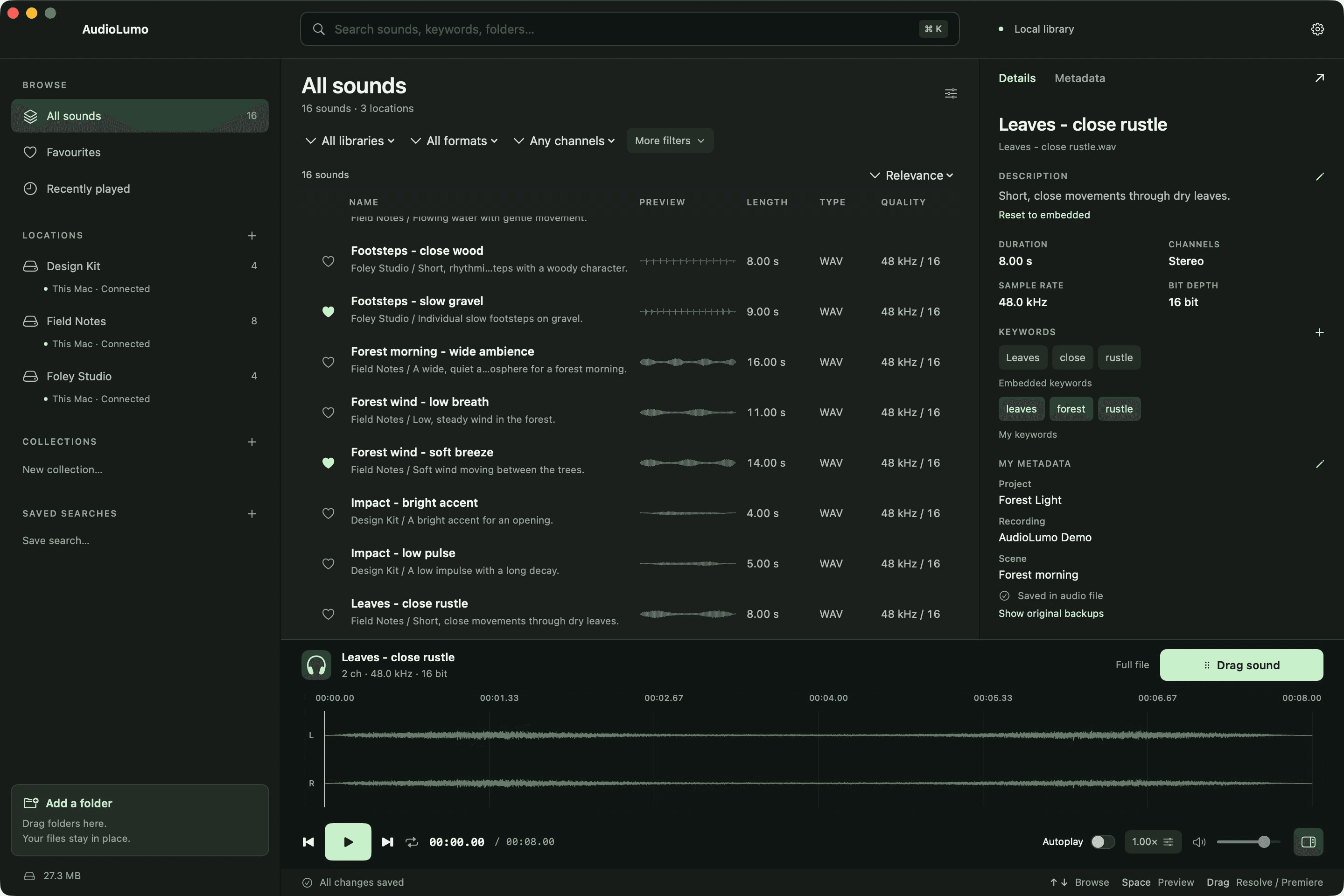
AudioLumo
Choose AudioLumo if your priority is finding, previewing and exporting your own sounds on an Apple Silicon Mac without a subscription. Choose Soundly for a supplied cloud catalog, Soundminer for deeper professional sound-design tools, or BaseHead for a configurable studio transfer workflow. AudioLumo's App Store release is still being prepared.
1. Start with the library you already have
A folder of field recordings and purchased WAV packs needs a different tool from a project that needs thousands of new licensed effects every month. Separate the cost of managing files from the cost of accessing new sounds. Otherwise, a low monthly number can hide a service you do not need—or an apparently cheap manager can leave you buying every sound separately.
AudioLumo indexes folders in place. You can search names, paths and your own metadata, audition waveforms, mark a range and export a WAV. It does not supply a sound pack. Soundly combines local indexing with free and paid cloud libraries. That content is a real reason to pay for Soundly if you regularly need fresh effects.
2. Compare the license, not just the headline price
AudioLumo is planned as a one-time purchase. Soundly Pro is a subscription, while Soundminer sells licenses for different editions and platforms. BaseHead also sells perpetual licenses: its renewal date concerns updates, priority support and CloudPack streaming, rather than the continued use of the ordinary perpetual license.
Do not compare a Mac-only entry edition with another product's flagship as if they were equivalent. Soundminer V7 Basic, Plus and Pro have different capabilities. BaseHead Lite, Standard and Ultra do too. Use the price table as a starting point, then check whether the edition covers your actual task. Different currencies and tax treatment prevent a simple like-for-like total.
3. Follow one sound from search to your timeline
Try the everyday sequence: find a forest ambience, preview it, select eight seconds, and bring it into your edit. AudioLumo offers keyboard-led search, waveform range selection and WAV export for workflows with Premiere Pro and DaVinci Resolve. This is a file-based workflow; it is not a native plugin or direct timeline-spotting integration.
If your studio depends on Pro Tools spotting, plugin hosting, sophisticated channel routing or a shared server, check the professional tools in the appropriate Soundminer or BaseHead edition. Those capabilities can justify their cost. AudioLumo is designed around a narrower, understandable job: getting value from your own files on your Mac.
4. Keep metadata and offline access in perspective
AudioLumo lets you add descriptions, keywords and custom fields, including batch edits. Its annotations can be stored in supported audio containers or a sidecar for other formats. That does not promise a field-for-field exchange with every Soundminer, BWF or iXML workflow. Check your destination format before choosing a tool for a studio-wide metadata pipeline.
An indexed external drive can remain searchable in AudioLumo after you disconnect it. Playing or exporting the original audio still requires the file to be available. The same practical distinction matters with cloud placeholders: a catalog entry is not the audio itself. Test an actual drive and a representative file rather than assuming that 'offline' means every asset is cached.
5. Our pick for an independent Mac editor
If you already own your effects and want to organise them without an ongoing software bill, AudioLumo is the strongest fit in this comparison for that specific brief. Its native Mac approach, own-file catalog and simple purchase model belong together. You are not paying for an included cloud library you may never use.
Before committing, confirm macOS 14 or later and Apple Silicon, watch the walkthrough and compare the export and metadata workflow with your projects. AudioLumo's release is forthcoming, so choose an available alternative if you must deploy today. Our recommendation is about fit, not a claim that AudioLumo replaces every specialist studio tool.
Compare at a glance
Scroll the table horizontally on smaller screens.
| What matters | AudioLumo | Soundly | Soundminer | BaseHead |
|---|---|---|---|---|
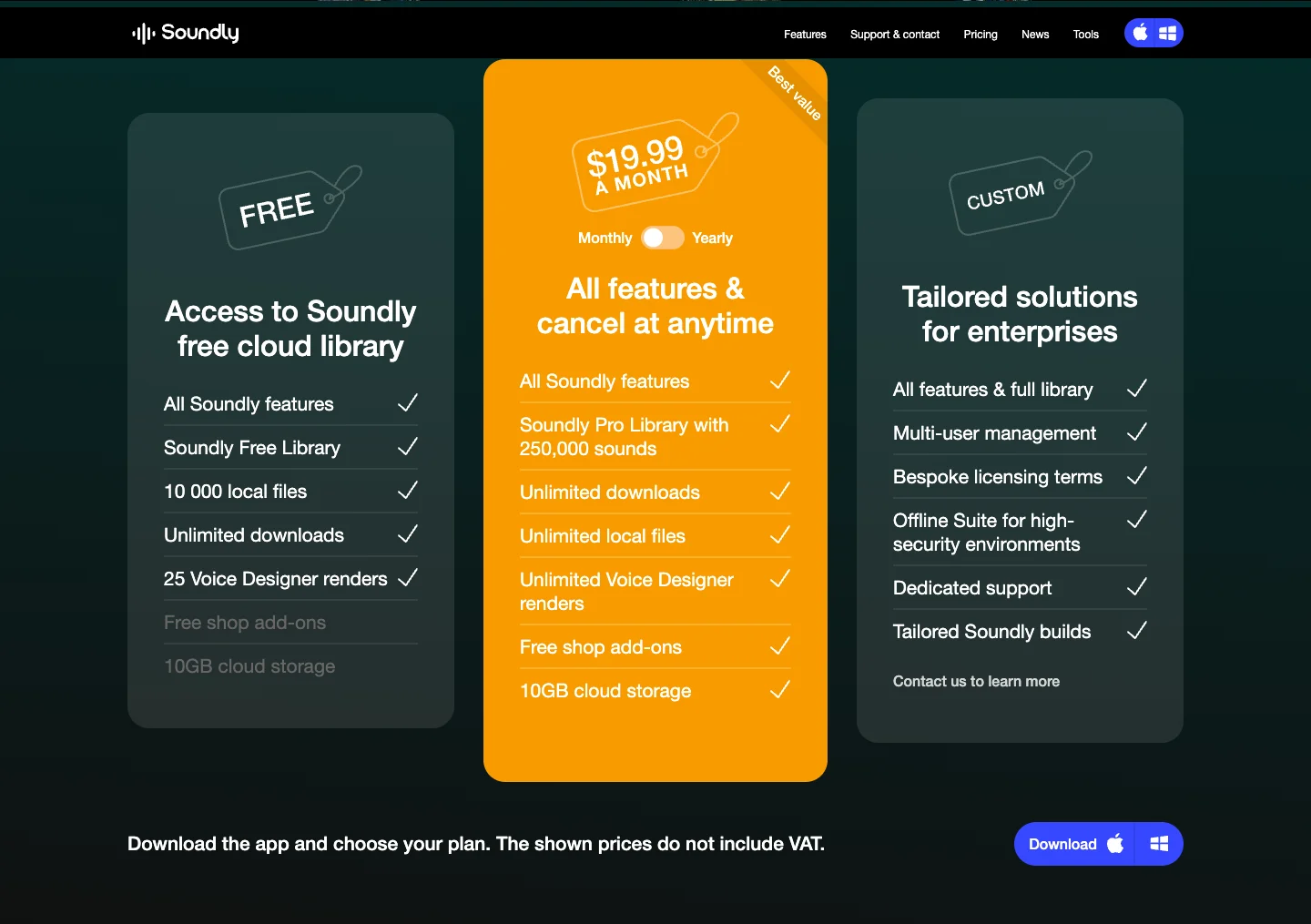
| Listed price | €29 launch price · then €49 | US$19.99 / month · Pro monthly | V7 Basic US$199 · Plus US$399 · Pro US$899 | US$149–549 · new license options |
| Payment model | One-time purchase. No subscription. | Subscription; Free plan also available | Purchased license; platform and upgrade options cost extra | Perpetual; 12 months of updates/support included |
| Platform | macOS 14+ · Apple Silicon | Mac & Windows | Mac & Windows | Mac & Windows |
| Sounds included | Your own files; no sound pack included | Pro cloud library + your local sounds | Database tools for your own libraries | Your libraries + time-limited CloudPack access |
| Best fit | Personal local sound library on Mac | Cloud sounds, local files and team sharing | Professional metadata and sound design pipelines | Configurable DAW transfer and studio workflows |
| Metadata & workflow | Keywords, descriptions, custom fields; WAV range export | Metadata editing, natural-language search, DAW integrations | Edition-dependent: Basic search; Plus/Pro expand editing and DSP | Lite / Standard / Ultra; full editing from Standard |
Prices checked on 23 October 2026. Original currencies are shown without conversion. Soundly explicitly excludes VAT; taxes, region, license options and offers can change the other checkout totals. Check the linked vendor before buying.
One-time purchase. No subscription.
Launch offer for the first 100 purchases or until 30 November 2026, whichever comes first. €49 from 1 December 2026 at the latest.
Mac App Store release in preparation. No purchase is available yet; the final price is shown in your regional App Store.
Sources & screenshots
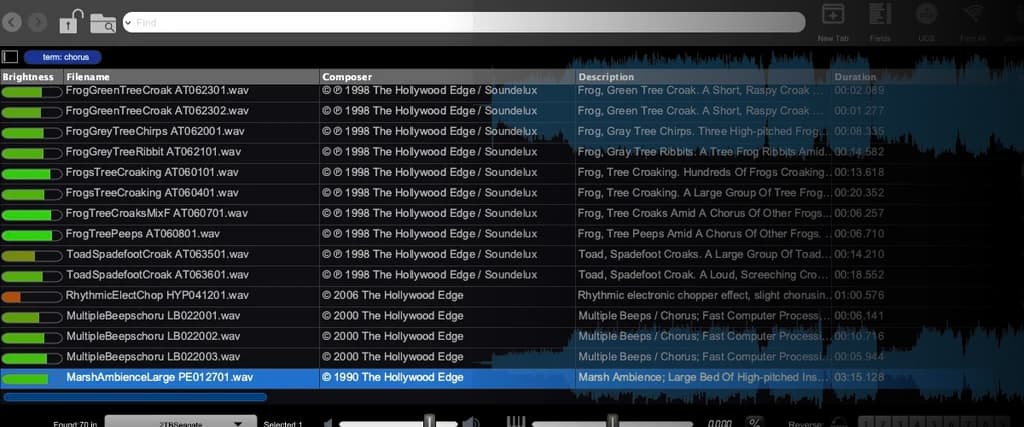
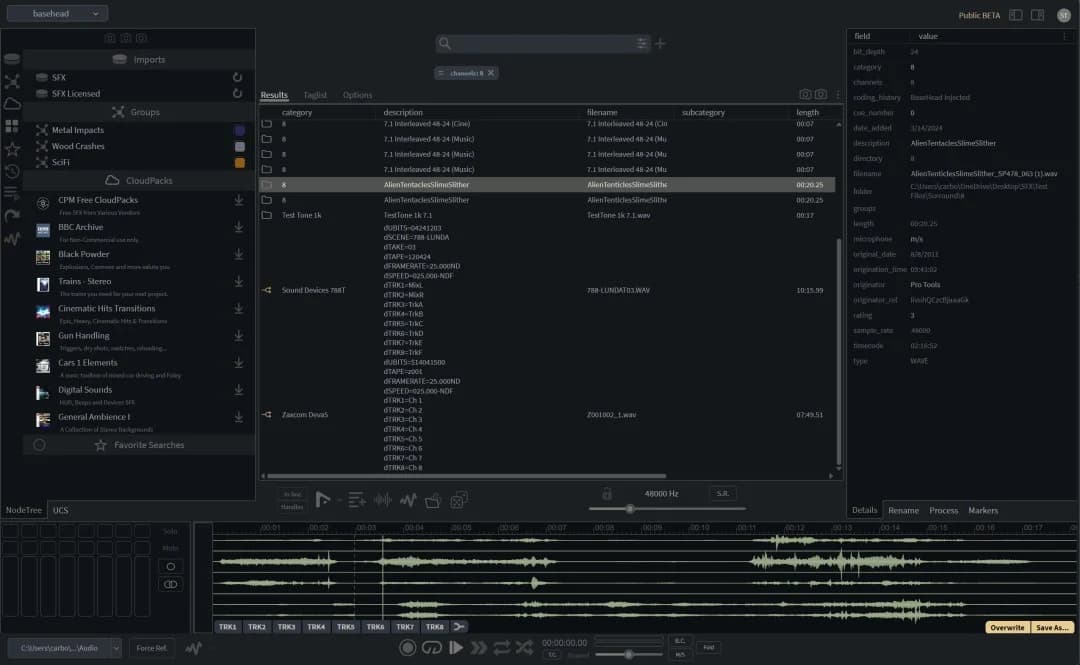
Manufacturer pages used for this comparison. Screenshots illustrate the interface or published pricing; they are not speed-test results.
- Soundly · plans & features
- Soundly · Free / Pro plan limits
- Soundminer V7 Basic
- Soundminer V7 Plus
- Soundminer V7 Pro
- BaseHead · new licenses
- BaseHead · Lite / Standard / Ultra
- BaseHead · perpetual licensing
Questions before you choose
Which option avoids a subscription?
AudioLumo is planned as a one-time purchase. BaseHead also offers perpetual licenses, and Soundminer sells edition-based licenses. Compare update terms and optional services separately; one-time purchase does not automatically mean every future major version is included.
Does AudioLumo include sound effects?
No. AudioLumo manages sounds you already own. If access to an included online sound-effects library is a priority, Soundly is the more relevant choice.
Are the six blog languages also app languages?
No. These articles are available in six languages. AudioLumo's current app interface supports English and German; screenshots in the other editions show the English interface.
Published by AudioLumo, one of the products compared. Competitor facts come from the linked manufacturer pages; recommendations reflect our focus on personal Mac sound libraries. This is a feature and pricing comparison, not a performance benchmark.